


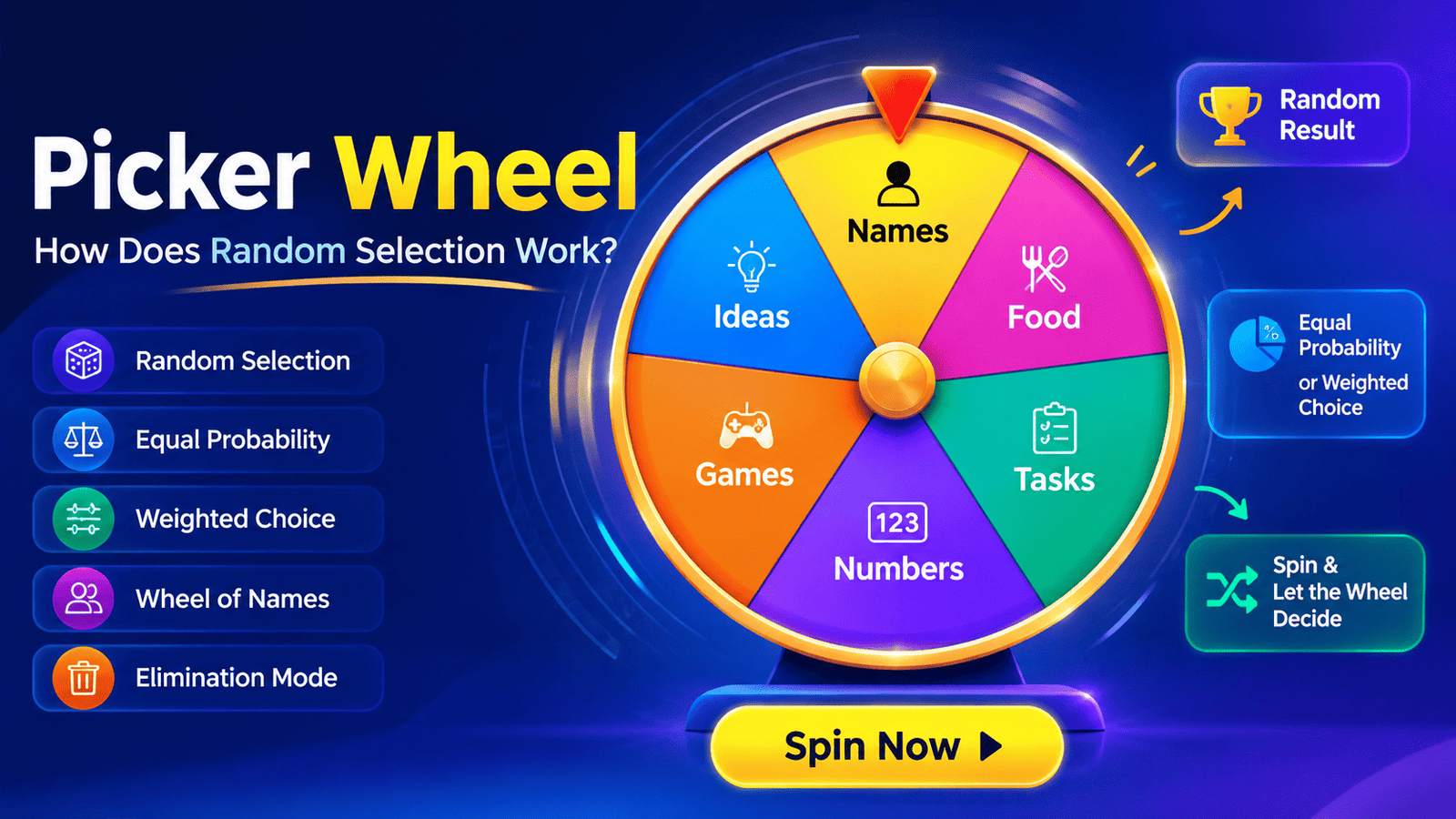
What Is a Picker Wheel and How Does a Random Wheel Work?
Have you ever spent five minutes trying to decide something that should have taken five seconds?
Which restaurant should we try? Who should present first? Which student gets to answer? What should we watch tonight? Which task should we tackle next?
When several options seem equally good, making a decision can surprisingly become difficult. That is where a picker wheel can make things easier.
A picker wheel is a simple digital tool that turns a list of choices into a visual spinning wheel. You enter your options, spin the wheel, and let the system select one. What makes it useful is its combination of simplicity, visual interaction, and randomness.
Behind the colorful animation, however, there is more going on than simply watching a wheel spin. A modern random wheel spinner uses a set of entries, assigns them to wheel segments, and uses a randomization process to determine the final outcome. Depending on the tool, users may also be able to configure equal probability, create a weighted choice, remove selected entries, or use an elimination mode.
This makes picker wheels useful far beyond games. Teachers use them in classrooms, teams use them for assigning tasks, creators use them for content ideas, and individuals use them whenever they need a quick way to make a fair or entertaining decision.
In this guide, we’ll explore exactly what a picker wheel is, how random wheel technology works, how results are selected, and when you should use one.
What Is a Picker Wheel?
A picker wheel is an interactive decision-making tool that displays multiple choices around a circular wheel. Each choice usually appears as a separate section or segment. When the user clicks or taps the spin button, the wheel rotates and eventually stops at one option.
For example, imagine a teacher wants to randomly choose a student to answer a question. Instead of calling on students manually, the teacher could enter:
- Alex
- Priya
- Daniel
- Sarah
- Michael
- Emma
The names become individual wheel segments. The teacher spins the wheel, and the pointer lands on one name.
The concept is simple: turn a list of options into a visual random selection system.
This visual approach is one reason picker wheels have become popular. A traditional random selection tool might simply display a name or number. A wheel adds anticipation because users can see the options moving before the final result appears.
A picker wheel can contain almost anything:
- Names
- Numbers
- Tasks
- Food choices
- Cities
- Team members
- Prize options
- Workout exercises
- Content ideas
- Classroom activities
- Meeting topics
- Games
- Yes-or-no decisions
The tool doesn’t necessarily need to be complicated. In fact, its simplicity is one of its biggest advantages.
Picker Wheel vs. Manually Choosing
When people manually choose an option, unconscious preferences can influence the decision. Even when someone genuinely wants to be fair, they may repeatedly select familiar names, preferred options, or choices that seem convenient.
A random wheel provides a visible mechanism for making the decision.
Instead of saying, “I’ll just pick someone,” you can say, “Let’s put everyone’s name on the wheel and spin it.”
That small difference can make a decision feel more transparent and engaging.
How Does a Random Wheel Work?
At first glance, a random wheel spinner looks like a simple animation. You click Spin, the wheel rotates several times, and eventually it stops on one option.
The animation is only the visual part of the process.
The important part is the randomization system behind it.
A typical random wheel follows several basic steps:
- The user enters a list of options.
- The system stores those options.
- Each option is assigned to a position or wheel segment.
- A randomization process determines the winning position.
- The wheel animation rotates toward that position.
- The pointer indicates the selected option.
- The result is displayed to the user.
The wheel may appear to be deciding the result as it spins, but in many digital implementations, the random outcome is determined by the underlying software before or during the animation. The spinning motion then provides a visual representation of that selection.
This distinction is important.
The colorful wheel is the user interface. The randomization algorithm is what determines the selection.
A Simple Example
Suppose your wheel contains four choices:
- Pizza
- Burgers
- Sushi
- Tacos
If every option has the same chance of being selected, each choice has a 25% probability.
The system generates a random value and maps that value to one of the four possible outcomes.
The wheel then visually rotates until the pointer reaches the corresponding segment.
From the user’s perspective, it feels like the spinning wheel made the decision. Technically, the software’s randomization process is responsible for selecting the outcome.
Understanding Wheel Segments and Probability
One of the most important concepts behind a digital wheel is the relationship between wheel segments and probability.
A wheel is normally divided into sections, with each section representing an option. If there are ten options and every option is treated equally, the wheel can be divided into ten equal sections.
In that scenario, every option has the same chance of being selected.
This is called equal probability.
For example, with 10 equally weighted options:
Probability of each option = 1 ÷ 10 = 10%
With 5 options:
Probability of each option = 1 ÷ 5 = 20%
With 20 options:
Probability of each option = 1 ÷ 20 = 5%
The more options you add, the smaller the probability becomes for each individual entry when all entries have equal weight.
Does the Visual Size of a Segment Matter?
Yes, depending on how the wheel is designed.
If every segment has the same size, the visual representation normally corresponds to equal chances.
However, some picker wheel tools allow users to assign different weights to different entries. In that case, the wheel may display larger and smaller segments.
For example, imagine you want to choose between three lunch options:
- Pizza — 50%
- Sandwich — 30%
- Salad — 20%
A weighted wheel can represent those probabilities through differently sized segments.
Pizza receives the largest segment because it has the highest probability. Salad receives the smallest.
This is known as a weighted choice.
Equal Probability vs. Weighted Choice
Not every random decision needs to be completely equal.
Sometimes you want every option to have the same chance. Other times, you intentionally want some options to be more likely than others.
That’s where the difference between equal probability and weighted selection becomes important.
Equal Probability
With equal probability, every option has the same chance of winning.
Imagine a classroom with 20 students. If the teacher wants to select one student fairly, each student should have a 1-in-20 chance.
This approach is useful for:
- Random student selection
- Giveaway winners
- Team assignments
- Turn-taking
- Simple games
- Fair decision-making
Weighted Choice
A weighted choice gives different options different probabilities.
For example, a company could use a wheel to distribute promotional tasks while giving certain tasks higher priority.
Suppose there are three tasks:
- Product research — 50%
- Competitor research — 30%
- Social media research — 20%
The wheel can be configured so that Product research is selected more frequently than the other two.
Weighted selection is useful when randomness is desirable but the options do not need to be equally likely.
The important point is transparency. If a wheel uses different weights, users should ideally understand that the choices do not have identical probabilities.
Is a Picker Wheel the Same as a Random Number Generator?
A random number generator and a picker wheel can both produce random outcomes, but they present those outcomes differently.
A random number generator typically produces a numerical value.
For example:
Random number: 37
You might configure it to generate a number between 1 and 100.
A picker wheel, on the other hand, converts choices into visual segments.
For example:
Pizza | Sushi | Tacos | Burgers
The user sees the choices directly and watches the wheel spin toward the selected option.
The underlying concept can be similar: generate or select a random value and map that value to an available outcome.
The main difference is the user experience.
A random number generator is practical when you need numbers. A picker wheel is more engaging when you need to select from named options.
When Should You Use a Random Number Generator?
A random number generator may be more convenient for:
- Dice-like number selection
- Lottery-style numbers
- Random numerical testing
- Selecting a number within a range
- Mathematical exercises
When Is a Picker Wheel Better?
A wheel is often better when the choices are descriptive rather than numerical.
For example, if you’re choosing what to eat, a wheel showing “Pizza,” “Indian,” “Mexican,” and “Chinese” is much easier to understand than generating a random number and looking up what that number represents.
The wheel essentially combines randomization with an intuitive interface.
What Is a Wheel of Names?
A wheel of names is a popular use case for picker wheel technology.
Instead of using the wheel to choose products, activities, or numbers, users enter people’s names. The system then randomly selects one name.
This can be particularly useful in education.
Imagine a teacher has 30 students in a classroom and wants to make participation more balanced. Rather than repeatedly asking for volunteers, the teacher can add the students’ names to a wheel.
The teacher spins it whenever someone needs to be selected.
This can make classroom participation more interactive while reducing the perception that the teacher is favoring particular students.
A wheel of names can also be useful for:
- Online meetings
- Team activities
- Group presentations
- Assigning responsibilities
- Giveaway selections
- Icebreaker games
- Party games
- Tournament activities
The same basic technology can be adapted to many situations.
What Is Elimination Mode?
One particularly useful feature in some picker wheels is elimination mode.
Normally, if you spin a wheel multiple times, the same option may appear more than once.
For example, suppose a wheel contains five names:
- A
- B
- C
- D
- E
You spin the wheel and get C.
If you spin again without changing the wheel, C can potentially be selected again.
That may be exactly what you want in some situations. But if you’re trying to give every participant one turn, repeating C is inconvenient.
Elimination mode solves this problem.
When elimination mode is enabled, the selected option is removed from the available choices after it is picked. The next spin therefore selects from the remaining options.
The process might look like this:
Spin 1 → C selected → C removed
Spin 2 → A selected → A removed
Spin 3 → E selected → E removed
Eventually, every option has been selected once.
This makes elimination mode particularly useful for:
- Classroom participation
- Assigning presentation order
- Team task allocation
- Tournament brackets
- Prize distribution
- Group activities
- Random ordering
It is important to understand that elimination mode changes the probability structure after every spin. Once an option has been removed, it can no longer be selected.
Are Picker Wheel Results Truly Random?
This is one of the most common questions people have about random wheels.
The answer depends on how the particular tool is implemented.
A digital picker wheel generally relies on a software randomization mechanism. The system generates a value and uses it to select an available option according to the configured probabilities or weights.
For a properly implemented equal-probability wheel, each option should have the intended probability over a large number of selections.
However, randomness does not mean every option will appear the same number of times in a small sample.
For example, suppose a wheel contains four options, each with a 25% probability.
You might spin it eight times and get:
- A — 4 times
- B — 1 time
- C — 2 times
- D — 1 time
That doesn’t automatically mean the wheel is unfair.
Random processes naturally produce clusters and streaks.
You could theoretically get the same option several times consecutively even when every option has exactly the same probability.
This is an important distinction:
Equal probability does not mean equal results in every short sequence.
It means each individual selection has the same probability under the configured rules.
Real-World Ways to Use a Picker Wheel
The usefulness of a picker wheel extends well beyond simple games.
1. Classroom Activities
Teachers can use a wheel to randomly select students, questions, topics, or activities.
For example, an English teacher could create a wheel containing discussion topics. Students spin the wheel and discuss whatever topic appears.
This introduces an element of surprise while encouraging participation.
2. Team Decision-Making
Teams frequently face small decisions that aren’t important enough to spend 20 minutes debating.
Who presents first?
Which feature should we review?
Which restaurant should we visit?
Which task should we tackle next?
If the choices are reasonably equal, a random wheel can eliminate unnecessary discussion.
3. Content Creation
Content creators often have dozens of possible ideas but struggle to choose one.
A wheel can contain:
- YouTube topics
- Blog ideas
- Short-form video concepts
- Podcast subjects
- Social media formats
- Content experiments
Instead of endlessly deciding what to publish, the creator can spin the wheel and commit to the selected idea.
4. Games and Entertainment
This is one of the most obvious applications.
A picker wheel can determine:
- Truth-or-dare challenges
- Trivia questions
- Game categories
- Player turns
- Random challenges
- Party activities
The spinning animation adds excitement that a simple text-based randomizer doesn’t provide.
5. Personal Decision-Making
Sometimes the biggest benefit of a picker wheel is simply helping you stop overthinking.
If you’re stuck between three equally acceptable options, random selection can provide a quick resolution.
The goal isn’t necessarily to discover the objectively perfect answer.
Sometimes it’s to make a decision and move forward.
Tips for Creating a Better Random Wheel
A random wheel is only as useful as the choices you put into it.
If your list is poorly structured, the result may not help you.
Here are a few practical tips.
Keep Options Clear
Use short, understandable labels.
Instead of:
“Possibility of going to the Italian restaurant located near the shopping center”
Use:
“Italian food”
Short labels are easier to read while the wheel is spinning.
Avoid Duplicate Entries Unless Intentional
If you enter “Pizza” three times and “Sushi” once, Pizza may effectively have a higher probability.
That might be intentional, but if you’re trying to create equal probability, duplicates can distort your intended selection.
Use Weighting Carefully
If your tool supports a weighted choice, make sure the weights reflect your actual decision strategy.
Don’t use weighting simply because it makes a particular result more likely unless you have a reason for doing so.
Consider Elimination Mode
If you want each option selected only once, enable elimination mode when available.
This is particularly useful for assigning multiple people to different turns or tasks.
Keep the Purpose in Mind
A wheel for a classroom should probably be designed differently from a wheel for a party game.
Before adding entries, ask:
What decision am I actually trying to make?
That question will help you build a more useful wheel.
Why Are Random Wheels So Popular?
There is a psychological reason picker wheels are more engaging than many traditional randomization tools.
People enjoy anticipation.
A random number generator might instantly show:
37
A wheel spins, slows down, moves past one option, and finally lands somewhere.
That creates a small moment of suspense.
The visual feedback also makes the selection process easier to understand. Everyone can see the options, see the spin, and see the final result.
For groups, this can be especially valuable.
Imagine a team meeting where someone says, “I’ll choose who goes first.”
Even if the selection is completely innocent, another participant could wonder why that person was chosen.
Put the same names into a wheel and spin it in front of everyone, and the selection process becomes much more visibly impartial.
That transparency is one of the reasons random wheels work so well in collaborative environments.
Conclusion:What Is a Picker Wheel
A picker wheel is much more than a colorful spinning animation. At its core, it is a visual interface for random decision-making.
The basic process is straightforward: add options, organize them into wheel segments, initiate a spin, and let the system produce a random result.
When all options have the same chance of being selected, the wheel uses equal probability. When certain options should have a greater or smaller chance, a weighted choice can be used. For numerical decisions, a random number generator may be more appropriate, while a wheel of names is particularly useful for selecting people.
Features such as elimination mode make the tool even more practical by preventing previously selected options from appearing again.
Ultimately, the value of a random wheel isn’t that it magically makes every decision correct. Its real value is that it can make simple decisions faster, more transparent, and more engaging.
Whether you’re a teacher selecting a student, a team deciding who goes first, a creator choosing what to publish, or simply someone stuck between several dinner options, a random wheel spinner can turn indecision into action.
Sometimes you don’t need another debate.
You just need to spin the wheel and see where it lands.
FAQ: What Is a Picker Wheel
1. What is a picker wheel?
A picker wheel is a digital tool that randomly selects one option from a list. Each choice is displayed as a wheel segment, and spinning the wheel produces a random result.
2. How does a random wheel work?
A random wheel uses a randomization process to select one of the available options. The wheel then spins visually and stops at the segment corresponding to the selected result.
3. Is a picker wheel truly random?
A properly designed picker wheel uses a software-based randomization method to determine results. When all entries have equal weight, each option is intended to have the same probability of being selected.
4. What is equal probability on a picker wheel?
Equal probability means every option has the same chance of being selected. For example, if a wheel has 10 equally weighted entries, each entry has a 10% chance of being selected on each spin.
5. Can I give some wheel entries a higher chance of winning?
Yes, if the picker wheel supports weighted selection. A weighted choice allows certain entries to have a greater probability than others.
6. What is a wheel of names used for?
A wheel of names can randomly select people for classroom activities, presentations, team tasks, giveaways, games, meetings, and other situations where a person needs to be chosen.
7. What is elimination mode?
Elimination mode removes an option after it has been selected. This prevents the same entry from being picked again and is useful when assigning each participant a unique turn or task.
8. Can a picker wheel be used instead of a random number generator?
Yes, depending on what you’re trying to select. A random number generator is useful for numerical outcomes, while a picker wheel is more convenient when choosing from named options such as people, tasks, foods, or activities.
9. Can the same result appear twice on a random wheel?
Yes. Unless elimination mode or a similar setting is enabled, an option can normally be selected again on a later spin.
10. What can I use a picker wheel for?
You can use a picker wheel for classroom activities, games, giveaways, team decisions, content ideas, task assignment, meal selection, random name selection, and everyday decisions where you want a quick random choice.
[…] Also Read: What Is a Picker Wheel and How Does a Random Wheel Work? […]
[…] Also Read: What Is a Picker Wheel and How Does a Random Wheel Work? […]